Microsoft CorporationBiblio.com
9 695 résultats
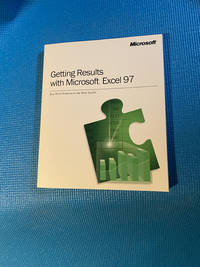
1996réf. 1584Getting Results with Microsoft Excel 97 Title: Getting Results with Microsoft Excel 97 Author: Microsoft Corporation Format: Print Book Publisher: Microsoft Corporation Redmond Wash. Publication Year: ©1996 Overview: The Official Guide to the Landmark 1997 Suite Getting Results with Microsoft Excel 97 is the comprehensive official guide published by Microsoft to help users master the powerful new features of the spreadsheet application within Microsoft Office 97. This book was not just a manual; it was part of a major initiative by Microsoft to promote a "results-oriented" approach to using its software focusing on real-world tasks rather than just explaining menu commands. Content and Approach True to its name the book is structured around achieving specific goals. Instead of a dry command-by-command reference it uses a highly visual and practical approach: Task-Based Learning: Chapters are organized by what you want to do such as "Creating a Budget" "Analyzing Sales Trends" "Managing a List" or "Preparing a Presentation." Step-by-Step Instructions: It provides clear numbered steps to guide users through complex features. Visual Design: The book is known for its colorful magazine-like layout with numerous screenshots icons and tips integrated directly into the margins and sidebars. Coverage of Key Features: It extensively covers the flagship features of Excel 97 including: The new simplified user interface with improved toolbars and menus. Formula AutoCorrect which helped identify and fix common formula errors. Enhanced charting and graphing capabilities. PivotTable® dynamic views for data analysis. Integration with other Office 97 applications and the web. Historical Significance and Context Part of the "Getting Results" Collection: This title was part of a series of books for Office 97 representing a novel and user-friendly approach to software documentation at the time. The Office 97 Era: Excel 97 was a pivotal release that solidified Excel's dominance in the spreadsheet market. This book was the key resource for millions of office workers students and home users upgrading to this new standard. Pre-Internet Dominance: In an age before ubiquitous online tutorials and help forums this printed volume was an essential go-to resource for learning the software. Note for Modern Readers While the specific techniques are for a 25 year old software version this book is now a piece of tech history. It is not suitable for learning modern Excel which includes cloud collaboration Power Query dynamic arrays and AI features. However it serves as: A collector's item for those nostalgic for the early days of personal computing. A fascinating historical document showing the evolution of software user experience and technical communication. In essence Getting Results with Microsoft Excel 97 is the definitive time capsule for one of the most important software releases of the 1990s capturing the moment when spreadsheets became an accessible and powerful tool for the masses. Microsoft Corporation paperback
1996réf. 1589Getting Results with Microsoft Office 97: Real World Solutions for the Work You Do Title: Getting Results with Microsoft Office 97: Real World Solutions for the Work You Do Author: Microsoft Corporation Publisher: Microsoft Corp. Redmond WA Publication Year: 1996 Format: Print Book Overview: The Official Guide to Practical Productivity Getting Results with Microsoft Office 97 is the definitive task-oriented guide designed to help users move beyond basic commands and immediately apply the power of the Office 97 suite to their everyday work. True to its name this book focuses on achieving tangible outcomes empowering professionals students and home users to work smarter and more efficiently by leveraging the suite's built-in intelligence and integrated tools. Content and Approach: Real World Solutions This book revolutionized software documentation with its highly visual and practical methodology. As the summary states it shows how to quickly begin creating documents spreadsheets presentations and databases by using built-in templates and wizards. This approach is characterized by: Project-Based Learning: The book is organized around the "work you do" with chapters dedicated to real-world tasks like compiling a sales report managing a client database creating a business presentation or organizing a team project. Leveraging Wizards and Templates: It extensively teaches users how to use features like the Letter Wizard in Word the AutoContent Wizard in PowerPoint and various templates in Excel and Access to produce professional-quality work without starting from scratch. Integrated Workflows: A key focus is demonstrating how the Office 97 applications work together seamlessly—for instance embedding an Excel chart into a Word report or using an Outlook contact list for a mail merge. Visual Step-by-Step Guidance: Known for its colorful magazine-like layout the book uses abundant screenshots icons and clear concise steps to guide users through processes making complex tasks feel manageable. Key Features and Covered Applications The guide provides "real world solutions" for the core components of Office 97: Word 97: For creating complex documents reports and mailings. Excel 97: For building financial models analyzing data with PivotTables and creating charts. PowerPoint 97: For designing and delivering effective presentations. Access 97: For building and managing databases to track information. Outlook 97: For managing email scheduling and contacts. Historical Significance and Context A New Philosophy of Help: This book was a flagship title in Microsoft's "Getting Results" series representing a major shift from explaining features to accomplishing goals. The Office 97 Ecosystem: Office 97 was a landmark release that solidified the suite's dominance. This guide was the essential companion for millions upgrading to this new more intuitive and powerful standard. Pre-Internet Standard: In an era before comprehensive online help and video tutorials this printed volume was a primary and invaluable resource for unlocking productivity gains in the workplace and home office. Note for Modern Readers While the specific software is now obsolete this book is a piece of tech history. It is not suitable for learning modern Microsoft 365 applications. Its value today is as: A collector's item for those interested in the history of personal computing and software usability. A nostalgic artifact that captures the design philosophy and user experience of 1990s software. A testament to the evolution of technical communication showcasing a user-centric approach that remains influential. In essence Getting Results with Microsoft Office 97 was more than a manual; it was a productivity coach that taught a generation how to harness integrated software to achieve their professional goals embodying the real-world promise of the digital office. Microsoft Corporation paperback
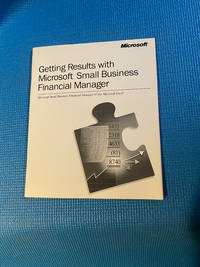
1996réf. 1590Getting Results with Microsoft Small Business Financial Manager 97 Title: Getting Results with Microsoft Small Business Financial Manager 97 Author: Microsoft Corporation Publisher: Microsoft Corp. Publication Year: 1996-1997 Format: Print Book or bundled electronic guide Overview: The Specialized Tool for Business Insight Getting Results with Microsoft Small Business Financial Manager 97 is the official guide to the powerful add-on module designed specifically for the Microsoft Office 97 suite. This book was tailored for small business owners accountants and financial managers who used Excel providing them with the knowledge to transform raw accounting data into actionable business intelligence and detailed financial reports. Content and Approach: From Data to Decisions Following the acclaimed "Getting Results" series philosophy this guide focused on practical task-oriented outcomes rather than just listing software features. Its approach included: Real-World Financial Tasks: The book was structured around core business financial needs such as creating a budget vs. actual report analyzing cash flow projecting business trends and valuing a business. Step-by-Step Wizard Guidance: It extensively covered the use of the software's built-in Report and Analysis Wizards which automated complex financial processes. Users were guided through generating key reports like Income Statements Balance Sheets and What-If analyses without requiring advanced accounting expertise. Seamless Integration: A central theme was teaching users how to import and link their existing company data from accounting software like QuickBooks and Excel spreadsheets directly into Financial Manager for a consolidated view. Visual Analysis: It demonstrated how to use the tool's features to create charts graphs and "what-if" scenarios making it easier to visualize financial health and forecast future performance. Key Features Covered The guide provided hands-on instruction for the specialized capabilities of Small Business Financial Manager 97 including: Standard Financial Reports: Automatically generating profit & loss statements balance sheets and cash flow statements. Business Analysis Tools: Performing ratio analysis trend analysis and comparative financial reviews. What-If Analysis: Modeling the potential financial impact of business decisions such as changing prices or reducing expenses. Budget Creation and Tracking: Streamlining the process of building and monitoring budgets against actual performance. Historical Significance and Context Democratizing Financial Analysis: This product and its guide represented a significant step in making sophisticated financial analysis accessible to small businesses that could not afford expensive dedicated enterprise systems. The Office Ecosystem: It showcased Microsoft's strategy of extending Office 97's value into specialized verticals with Small Business Financial Manager being a key component of the Office 97 Small Business Edition. Pre-BI Era Tool: Before the widespread adoption of terms like "Business Intelligence BI" for small businesses this was precisely the kind of tool that provided those capabilities and this book was the key to unlocking them. Note for Modern Readers This book is now a historical artifact in the evolution of business software. Its specific instructions are obsolete as modern accounting software and Excel with Power BI offer far more advanced and integrated functionality. Its current value is as: A collector's item for those interested in the history of business computing and software. A nostalgic piece that highlights the early efforts to empower small businesses with data-driven decision-making tools. In essence Getting Results with Microsoft Small Business Financial Manager 97 was the essential guide that helped small business owners move beyond simple bookkeeping to become strategic financial managers using their data to plan analyze and grow their companies. Microsoft Corporation
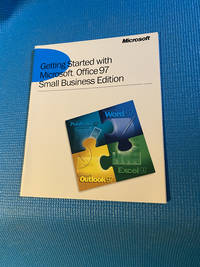
1996réf. 1588Getting Started with Microsoft Office 97 Small Business Edition Title: Getting Started with Microsoft Office 97 Small Business Edition Author: Microsoft Corporation Publisher: Microsoft Press or similar Publication Year: 1996-1997 Overview: Your First Step into Integrated Business Productivity Getting Started with Microsoft Office 97 Small Business Edition is the official introductory guide designed to help small business owners and their teams unlock the power of their new software suite. This book served as the essential roadmap for transitioning from older disconnected programs to a fully integrated productivity environment tailored for the unique needs of a growing business. Content and Approach This guide focused on ease of use and practical immediate results. Its approach was typically: Gentle Onboarding: Assuming no prior knowledge it introduced the shared elements of the Office 97 interface such as toolbars menus and the groundbreaking Office Assistant like "Clippy". Application-Specific Basics: It provided fundamental tutorials for the core applications in the Small Business Edition: Word 97: For creating professional letters invoices and business plans. Excel 97: For building budgets financial forecasts and sales trackers. Outlook 97: For managing email contacts calendars and tasks—all in one place. Publisher 97: For designing marketing materials like flyers newsletters and brochures without needing a designer. Small Business Financial Manager: A specific tool for analyzing company financial data within Excel. Integration Emphasis: A key theme was demonstrating how the programs worked together such as linking an Excel chart into a Word report or using an Outlook contact list for a mail merge in Publisher. Real-World Business Scenarios: The lessons were framed around common small business tasks making the learning process directly relevant to daily operations. Historical Significance and Context The Small Business Revolution: Office 97 Small Business Edition was a landmark product bundle putting powerful integrated tools directly into the hands of small and home-based businesses at an affordable price. This book was the key to adopting it. Pre-Cloud Era Essential: In the mid-1990s this "Getting Started" guide was the primary resource for users to become proficient filling the role that in-app tutorials and online videos do today. Bridging the Digital Gap: It helped a generation of entrepreneurs who may not have had formal IT support to computerize their operations effectively. Note for Modern Readers This book is now a historical snapshot of late-1990s business technology. The specific software versions are decades old and the workflows have been revolutionized by cloud computing Microsoft 365. Its value today is primarily as: A collector's item for those nostalgic for the early days of mainstream business computing. A reminder of a pivotal shift in how small businesses leveraged technology to compete. In essence Getting Started with Microsoft Office 97 Small Business Edition was more than a manual—it was an empowerment tool designed to demystify technology and provide small businesses with the same competitive advantages as their larger counterparts. Microsoft Corporation paperback
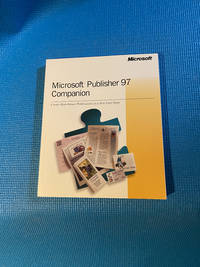
1996réf. 1586MICROSOFT PUBLISHER 97 COMPANION Title: Microsoft Publisher 97 Companion Author: Microsoft Corporation Publisher: Microsoft Press Publication Year: 1996 Overview: The Authoritative Guide to Desktop Publishing for Everyone The Microsoft Publisher 97 Companion is the comprehensive official guide published by Microsoft Press to help users master the company's popular desktop publishing application. Part of the esteemed "Companion" series this book was designed to be the ultimate resource for small business owners office professionals and home users looking to create professional-quality newsletters brochures flyers and more with ease. Content and Approach Moving beyond basic instruction the "Companion" series was known for its in-depth project-oriented approach. This volume typically includes: Comprehensive Tutorials: Step-by-step walkthroughs for creating a wide range of publications from business cards and letterheads to complex multi-page catalogs. In-Depth Feature Explanations: Detailed coverage of Publisher 97's key features such as: The PageWizard design assistant that automated the layout process. Mastering text frames picture frames and object layering. Working with color palettes borders and backgrounds. Utilizing the clip art gallery and drawing tools. Design Principles: Guidance on fundamental design concepts like layout typography and use of white space to help users create visually appealing documents not just technically correct ones. Tips and Techniques: Expert advice for streamlining workflow troubleshooting common problems and achieving professional results that stand out. Historical Significance and Context The Desktop Publishing Revolution: In the mid-1990s powerful desktop publishing DTP was becoming accessible to the masses. Publisher 97 was a key player in this trend and this "Companion" was the definitive guide for learning it. The Official Resource: As a Microsoft Press publication it offered authoritative information that was trusted over third-party guides often providing insights into the intended use of the software's features. Pre-Internet Standard: Before comprehensive online help and video tutorials books like this were the primary source for mastering complex software. It was an essential tool for anyone serious about leveraging Publisher 97 for their business or projects. Note for Modern Readers While the specific techniques are for a long-obsolete software version this book is now a piece of digital history. It is not suitable for learning modern desktop publishing tools. Its value today is as: A collector's item for those interested in the history of personal computing and graphic design. A nostalgic artifact that captures the state of DIY design before the age of web-based templates and sophisticated tools like Canva or Adobe Creative Cloud. A reminder of the era when in-depth physical books were the key to unlocking the potential of new software. In essence the Microsoft Publisher 97 Companion was the master key for a generation of users empowering them to become their own designers and navigate the exciting world of desktop publishing. MICROSOFT CORPORATION paperback
réf. 0711937591.Gpaperback. Good. Access codes and supplements are not guaranteed with used items. May be an ex-library book. paperback
réf. 0282321306.Gpaperback. Good. Access codes and supplements are not guaranteed with used items. May be an ex-library book. paperback
réf. 0872882721.Gpaperback. Good. Access codes and supplements are not guaranteed with used items. May be an ex-library book. paperback
réf. 1553685261.Gmap. Good. Access codes and supplements are not guaranteed with used items. May be an ex-library book. unknown
réf. 0365871990.Gpaperback. Good. Access codes and supplements are not guaranteed with used items. May be an ex-library book. paperback
réf. 065632449X.Gpaperback. Good. Access codes and supplements are not guaranteed with used items. May be an ex-library book. paperback
réf. B9781013573194Hardback. New. hardcover
réf. B9781014002723Paperback / softback. New. paperback
2004réf. SKU0503755Parker Hannifin Corp 2004-02-01. Paperback. Good. Textbook May Have Highlights Notes and/or Underlining BOOK ONLYNO ACCESS CODE NO CD Ships with Emailed Tracking Parker Hannifin Corp paperback
réf. 1407759450.Gpaperback. Good. Access codes and supplements are not guaranteed with used items. May be an ex-library book. paperback
réf. 131380827X.Gpaperback. Good. Access codes and supplements are not guaranteed with used items. May be an ex-library book. paperback
réf. 1528121562.Gpaperback. Good. Access codes and supplements are not guaranteed with used items. May be an ex-library book. paperback
réf. 1258657600.Gpaperback. Good. Access codes and supplements are not guaranteed with used items. May be an ex-library book. paperback
réf. 0243109881.Gpaperback. Good. Access codes and supplements are not guaranteed with used items. May be an ex-library book. paperback
réf. 0331889668.Gpaperback. Good. Access codes and supplements are not guaranteed with used items. May be an ex-library book. paperback
réf. 5470070-6Used - Good. Pages intact with minimal writing/highlighting. The binding may be loose and creased. Dust jackets/supplements are not included. Stock photo provided. Product includes identifying sticker. Better World Books: Buy Books. Do Good. unknown
réf. 0259167851.Gpaperback. Good. Access codes and supplements are not guaranteed with used items. May be an ex-library book. paperback
réf. DADAX0837316510National 2014-12-01. None. spiral_bound. New. 8.50x0.40x11.00. Buy with confidence. Excellent Customer Service & Return policy. National unknown
2007réf. DADAX1423430948Hal Leonard Publishing Corporation 2007-07-01. Illustrated. paperback. New. 9.00x0.97x12.00. Buy with confidence. Excellent Customer Service & Return policy. Hal Leonard Publishing Corporation paperback
réf. 1731806264-8-1AmazonUs/INDPB. Very Good. It's a well-cared-for item that has seen limited use. The item may show minor signs of wear. All the text is legible with all pages included. It may have slight markings and/or highlighting. AmazonUs/INDPB unknown